
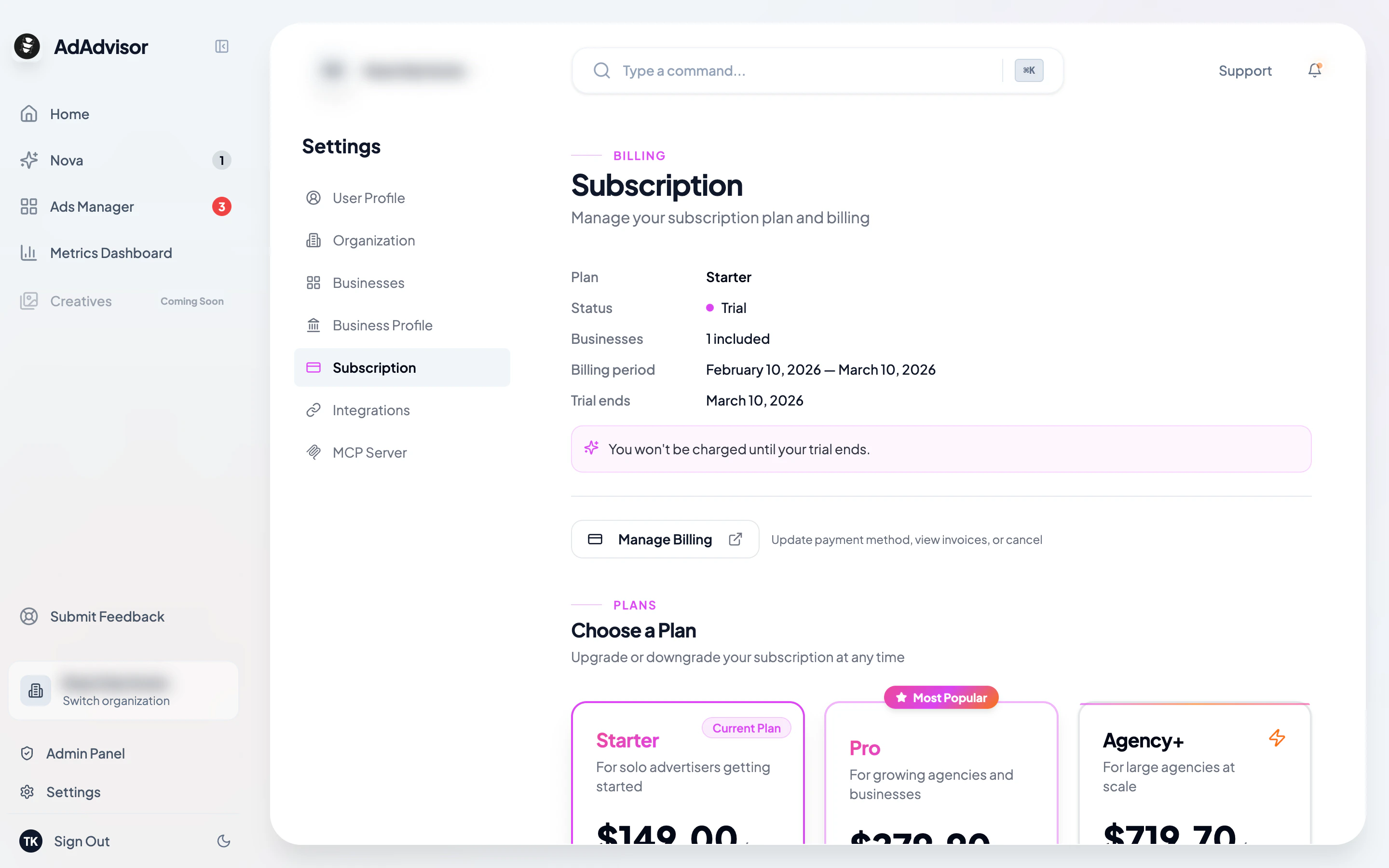
Your current plan
At the top of the page, you’ll see a card showing:- Your plan name (Starter, Pro, or Agency+)
- Status (Active, Trial, Past Due, Canceled)
- Number of businesses included
- Current billing period dates
- Trial end date (if you’re on a trial)
Upgrading your plan
Complete payment on Stripe
You’ll be redirected to Stripe Checkout. Enter or confirm your payment details and complete the transaction.
Downgrading your plan
If you switch to a plan with fewer business slots:Choose businesses to deactivate
If you have more active businesses than the new plan allows, a dialog will ask you which businesses to deactivate. Select the ones you want to pause.
Managing your payment method
Click Manage Subscription to open the Stripe Customer Portal. From there you can:- Update your credit card or payment method
- View and download invoices
- Cancel your subscription
Canceling your subscription
Cancellation is handled through the Stripe Customer Portal. When you cancel:- Your subscription stays active until the end of the current billing period
- After that, your account reverts to the free tier
- Your data isn’t deleted, so you can resubscribe later and pick up where you left off