
Most Meta advertisers don't actually know which of their creatives are performing.
They think they do. They look at ad-level results in Ads Manager and make judgments. But the same video might be running in 34 different ads across multiple campaigns. Each one shows up as a separate row. The true picture of how that creative is performing, across everything it's been used in, is nowhere to be found without a lot of manual work.
The AdAdvisor Creatives Hub fixes that. It's live today.
What the Creatives Hub does
The Creatives Hub connects to your existing Meta ad account and pulls in all your active creatives. Every image, every video, everything you're running right now.
It shows you each creative's true aggregated performance across every ad it appears in. One creative, one view. CPL, Spend, CTR, how many ads it's been used in, all of it consolidated in one place.
No more adding up numbers across campaigns manually. No more guessing which creative is actually carrying your account.
Click in and see everything
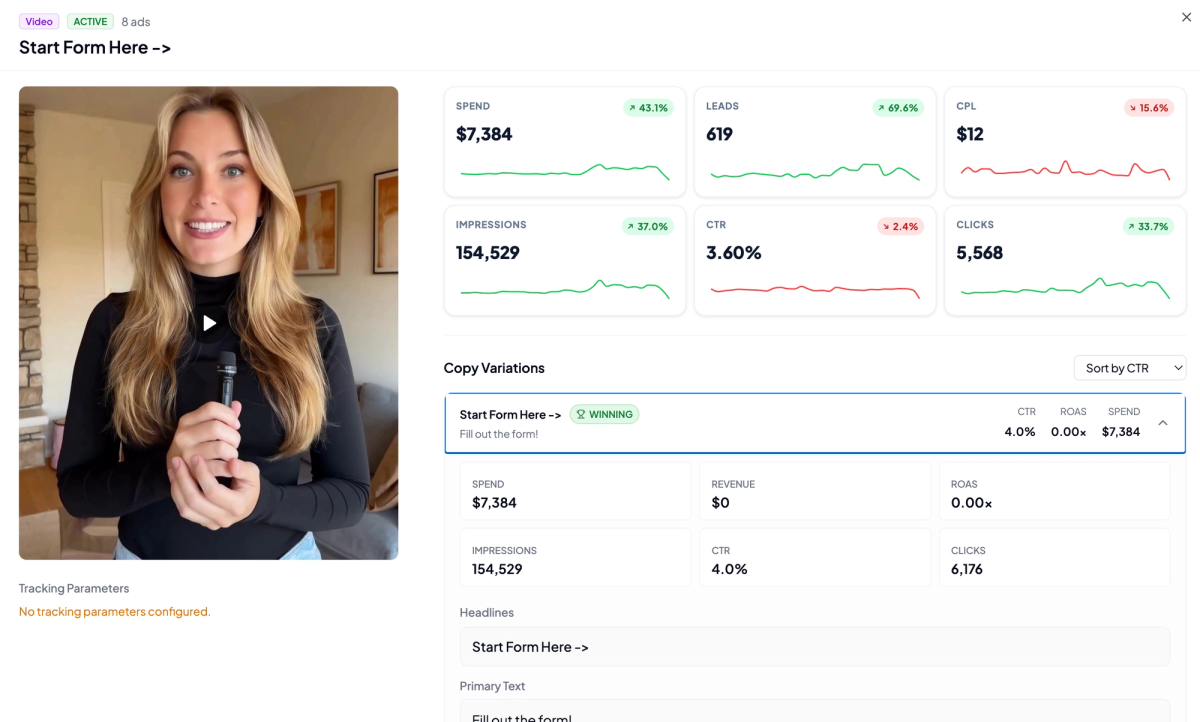
Click on any creative and you get the full breakdown.
Spend, Leads, CPL, Impressions, CTR, Clicks — all with trend lines showing how each metric has moved over time. You can see at a glance whether performance is growing, declining, or holding steady.
Scroll down and you see the copy variations tied to that creative, ranked by CTR. The winning combination is flagged. Below that: the headlines, the primary text, the CTA, even the landing page. Everything that was used with that creative, all in one view.
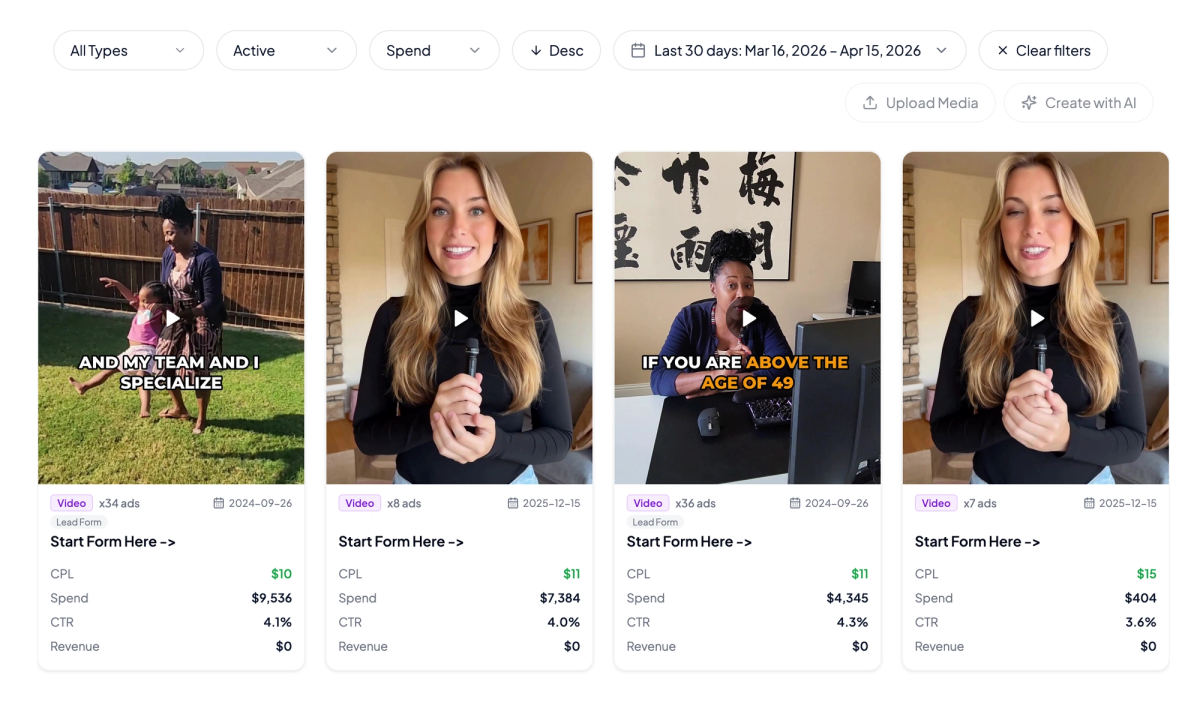
The combination view
If that creative ran in 8 different ads with different copy, the Creatives Hub shows you which copy variation performed best alongside it. You're not just finding your best creative. You're finding your best creative-and-copy combination.
The Audience Heat map
This is the part we're most excited about.
The heat map lays your creatives across the top and your audience segments down the side. Every cell shows you how that specific creative performed with that specific audience, color coded in green, orange, and red based on the metric you choose.
Green means it's working. Orange means it's borderline. Red means it's not.
At a glance, you can see exactly which creative-audience combinations are your winners and which are quietly wasting budget. No spreadsheet, no manual cross-referencing. Just a grid that tells you where to put your money.
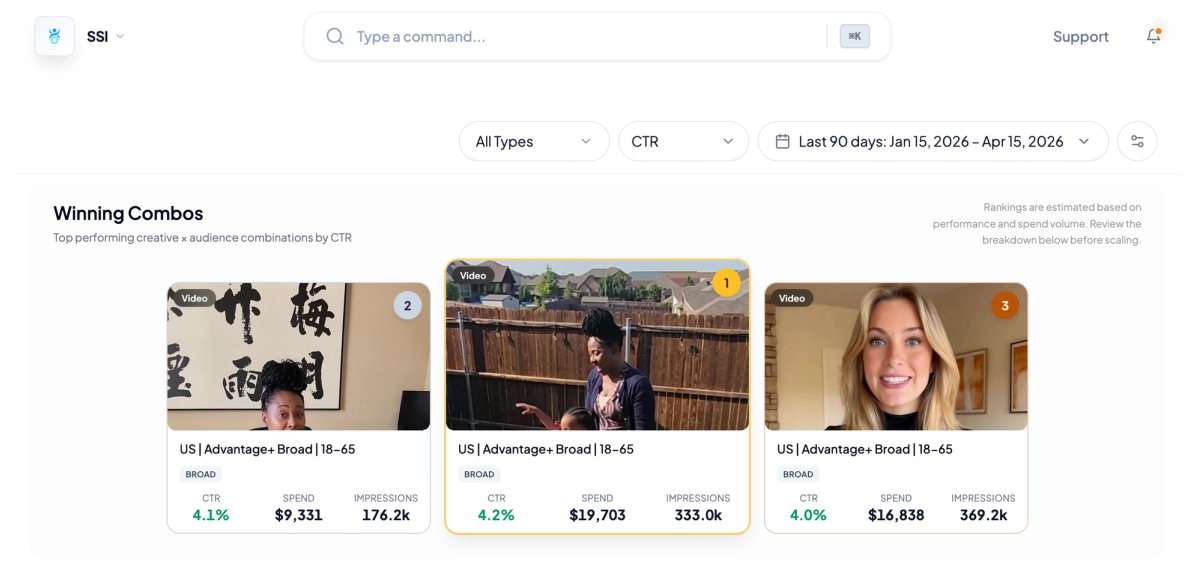
Click on any cell and you get the full detail for that specific combination: CPL, spend, impressions, and every other metric that matters. You're not looking at averages. You're looking at exactly how that creative performed with that audience.
Winning combos and ranked view
At the top of the heat map section, the Creatives Hub surfaces your Winning Combos: the top performing creative-audience combinations ranked by whichever metric you're optimizing for.
Want to know your top three by CTR? They're right there, ranked, with spend and impressions alongside them. Switching to CPL takes one click. ROAS, same thing.
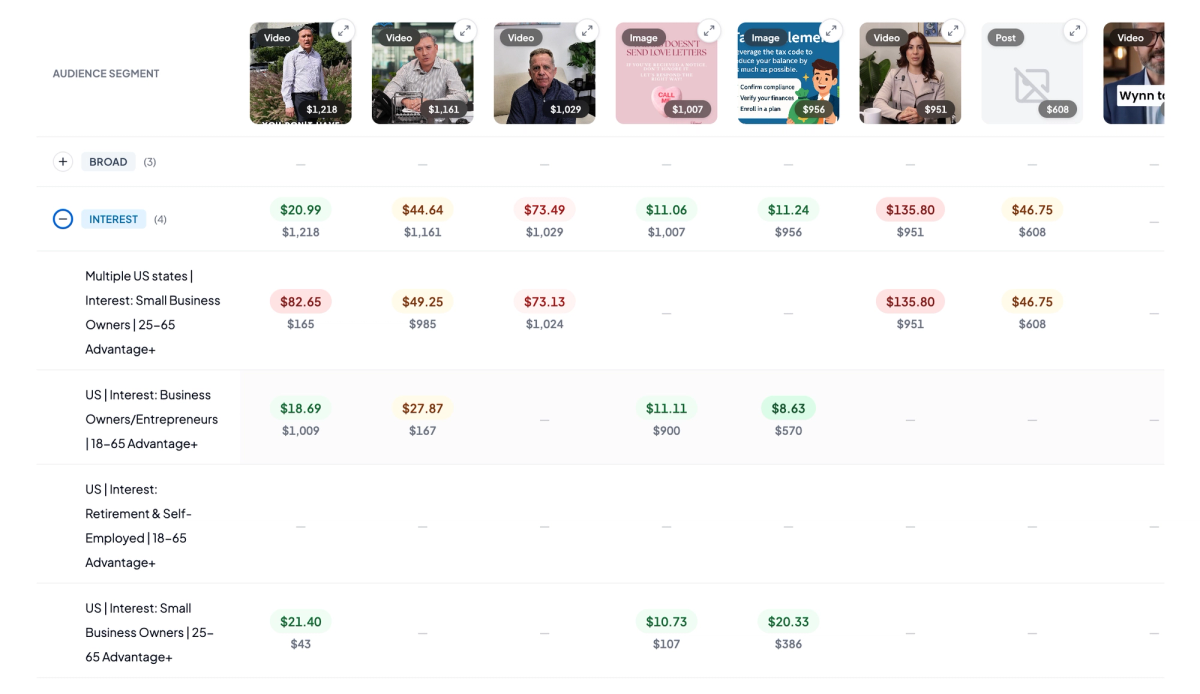
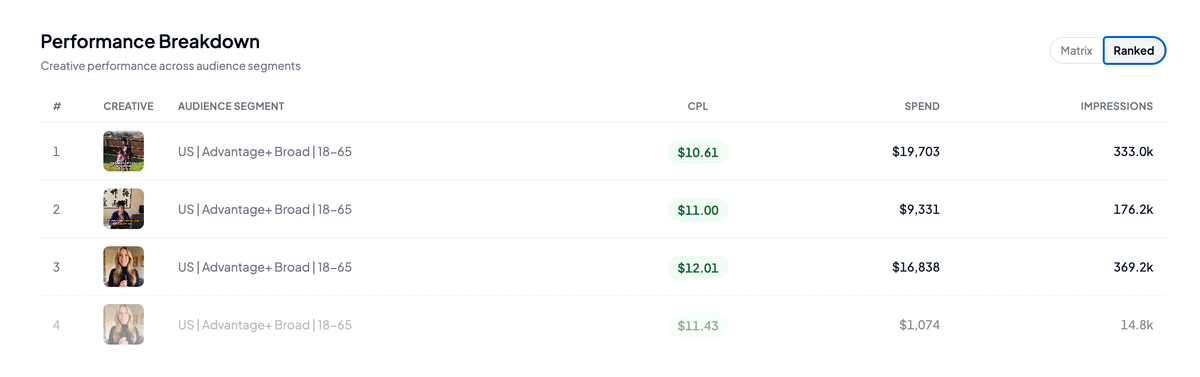
Below that is the Ranked view: a clean list of every creative-audience combination ordered by performance. Best performers at the top, weakest at the bottom. You can switch between Matrix and Ranked depending on whether you want the grid view or the list.
What changes when you have this
Before the Creatives Hub, finding your best creative meant exporting data, building a spreadsheet, and hoping you set up your campaign naming convention cleanly enough to make sense of it. Most people skip this. They make creative decisions on instinct and ad-level data.
With the Creatives Hub, you open one view and you know. You see which creative is your account's true top performer. You see which audience it works best with. You see which combinations are worth scaling and which ones to pull budget from.
The decisions don't change. The clarity does.
Try it free for 7 days
The Creatives Hub is live inside AdAdvisor now. Every new account gets a 7-day free trial with full platform access, including the Creatives Hub, the audience heat map, the ranked view, and the full creative detail breakdowns. No credit card required.
If you're running Meta ads right now, your creative data is already there. The Creatives Hub just lets you finally see it.